
Access and manage your profile, reserved conference sessions, favorite exhibitors, and reserved meetings from Visitor My Page. See below for details on each feature.
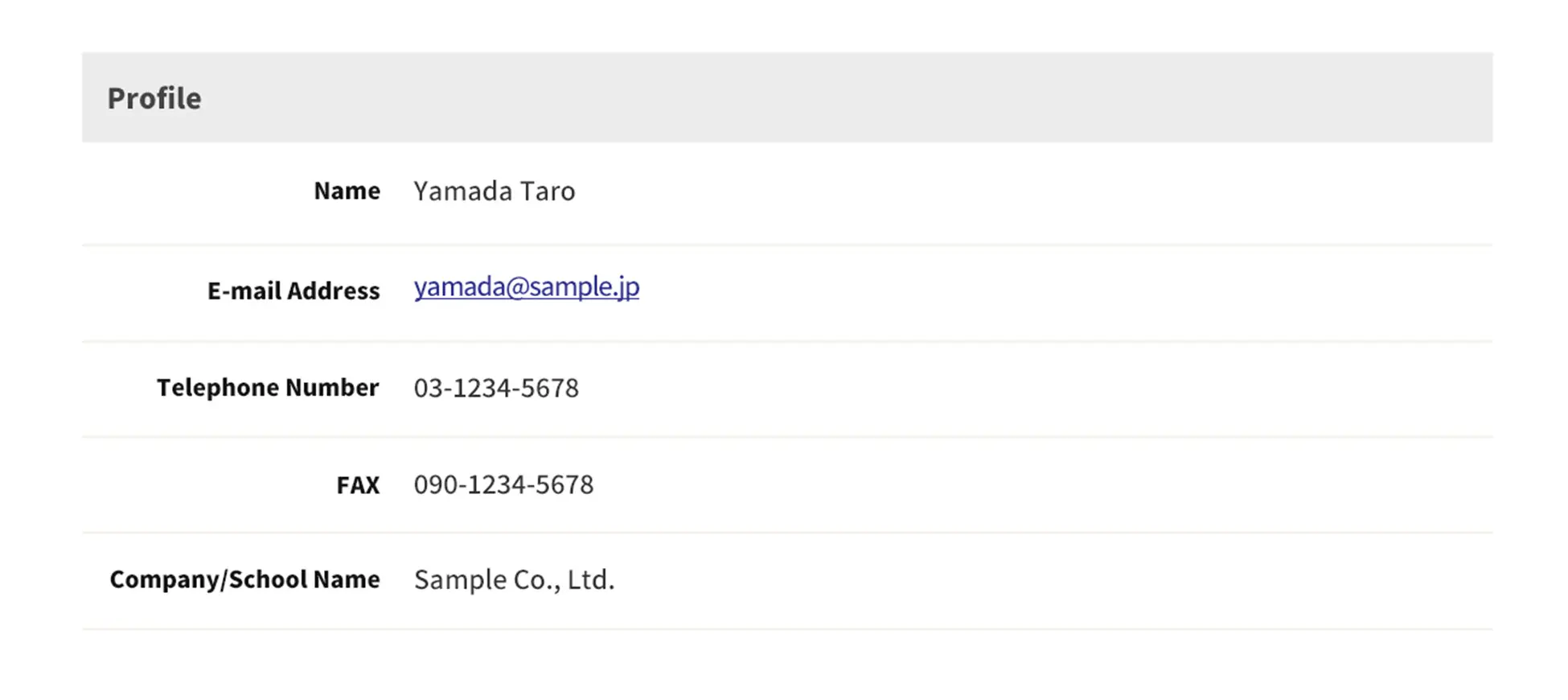
① Edit Profile
Update the information you provided during Pre-Registration, including your name, email address, phone (fax) number, and company/school name.
② Reserved Conference Sessions
View conferences you have reserved in a list. Each entry shows the session date and time, number, venue, and title.
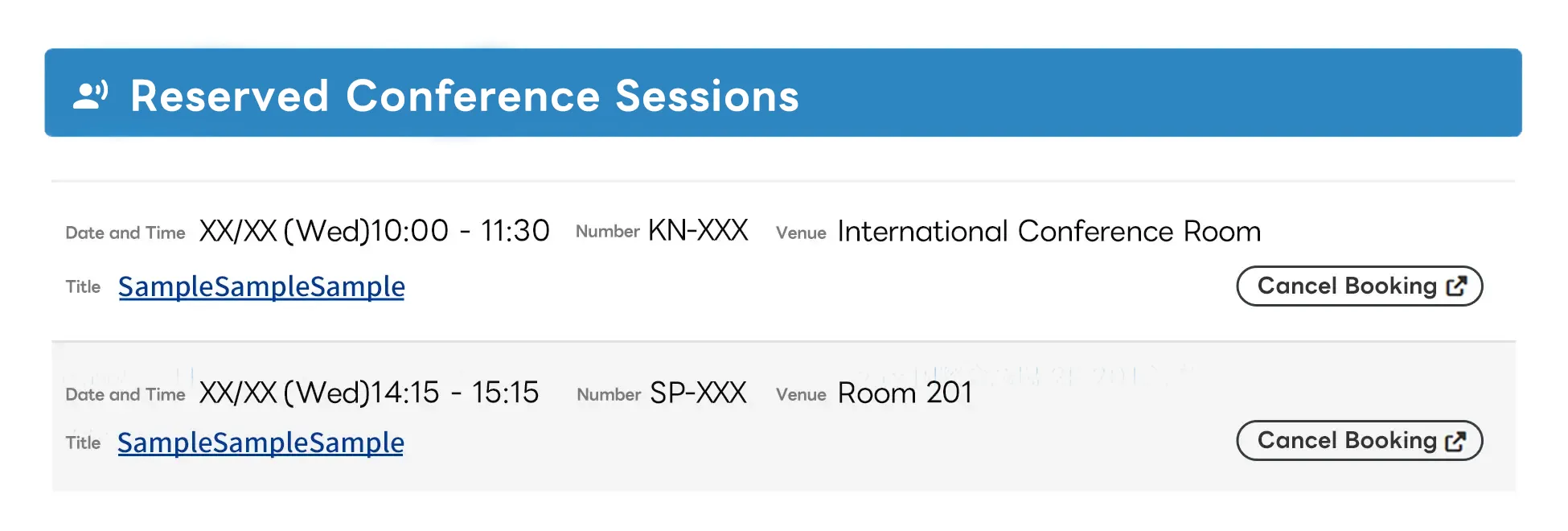
Select a title to view the details.
Cancel your reservation directly from this page using the Cancel Reservation button.
③ Favorite Exhibitors
View favorite exhibitors from Exhibitor Details pages. Sort and filter by booth number, exhibitor name, exhibition area, or hall number.
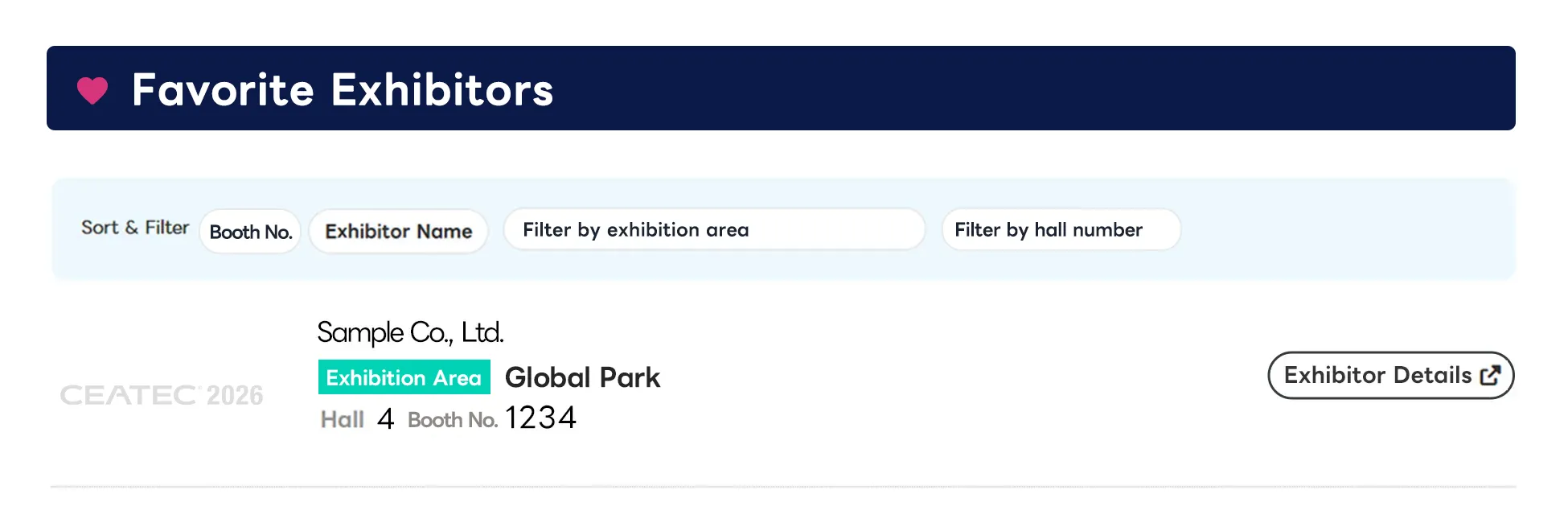
Add or remove exhibitors using the ♥ icon on each Exhibitor Details page. Check exhibitors in advance to plan your visit efficiently.
④ Reserved Meetings
View the status of one-on-one meetings scheduled with exhibitors. Each entry shows the meeting date and time, venue, and status.
* The launch date for the meeting reservation feature will be announced separately.
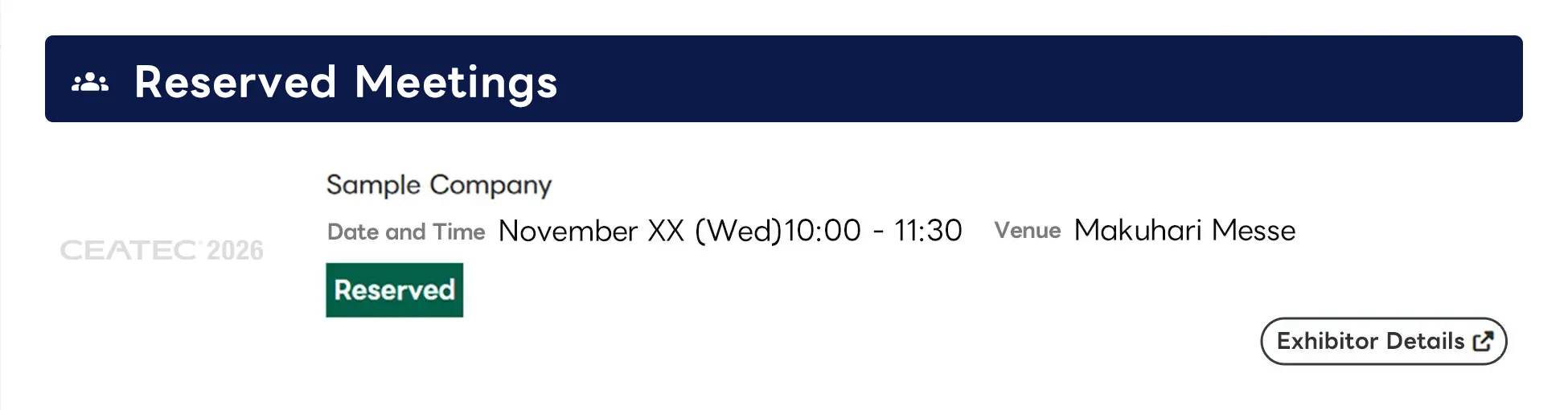
Meeting cancellations may not be available from Visitor My Page. To cancel your meeting, please contact the exhibitor directly.