
Pre-registration is required to attend.
Pre-Registration
Print Your Own Admission Ticket
-
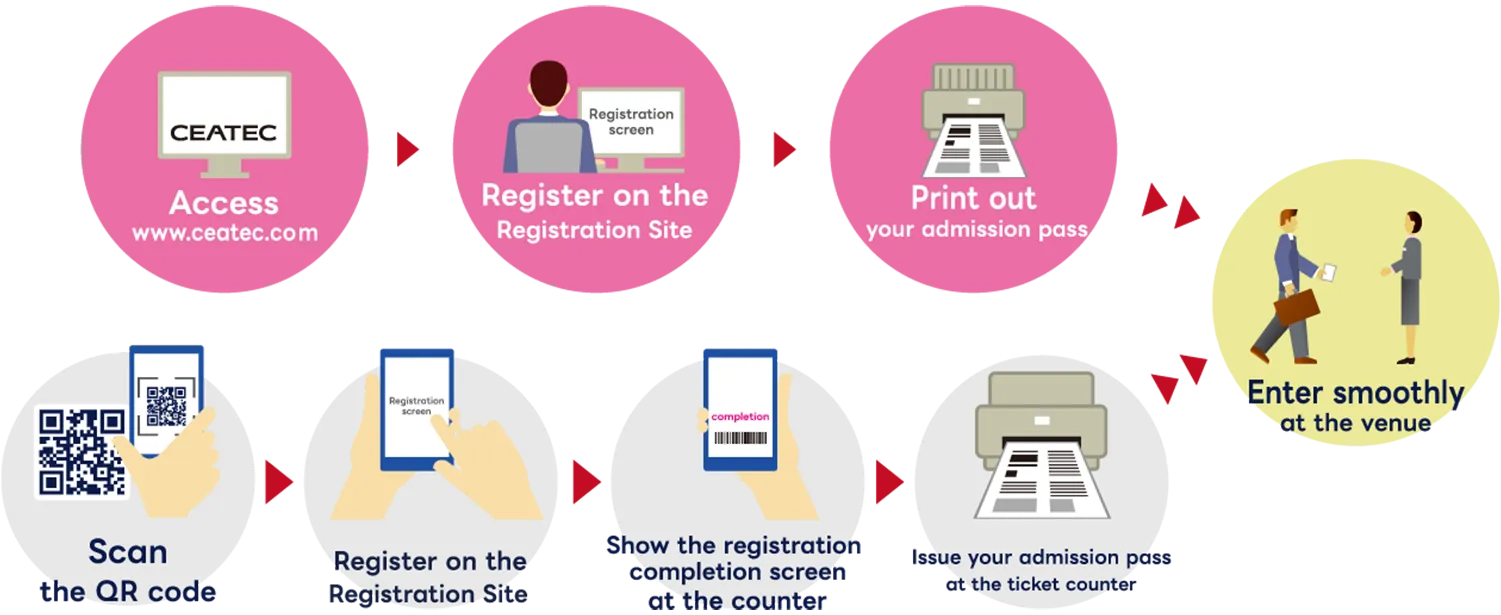
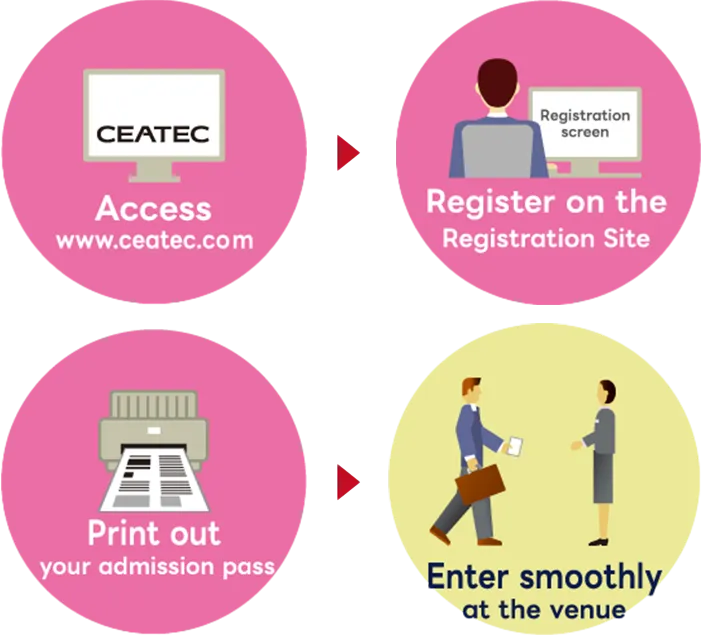
STEP01Register on the Pre-Registration Site
Enter your name, affiliation, email address, and other details on the pre-registration site to create your My Page and complete your registration.
STEP02Print Your Admission Ticket
After registration, your admission ticket will be sent by email. You can also view it on your My Page. Please print it at home or at your office.
STEP03Enter Smoothly
Please present your printed admission ticket at the venue to enter. You will receive a visitor badge holder upon entry.
Issue Your Admission Ticket at the Venue
-
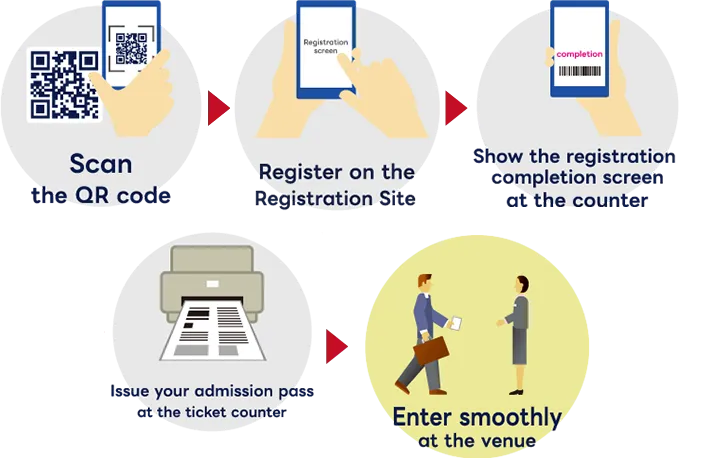
STEP01Register on the Pre-Registration Site
Enter your name, affiliation, email address, and other details on the pre-registration site to create your My Page and complete your registration.
STEP02Bring the QR Code from Your My Page or Confirmation Email to Makuhari Messe
After registration, a QR code will appear on your My Page. The QR code is also included in your confirmation email. It can be shown on your smartphone or printed out.
STEP03Print and Issue Your Admission Ticket at the Pickup Counter
Present your QR code at the pickup counter inside the venue, and your admission ticket (visitor badge) will be printed and issued.
STEP04Enter Smoothly
Please wear your issued visitor badge to enter. The visitor badge is valid for all four days of the show (October 13–16).
About My Page
Registration on the pre-registration site is required to use My Page.
From My Page, you can edit the personal information entered during registration, check your reserved sessions, view your favorite exhibitors, and manage your meeting appointments.
About Viewing Online Content
Login is required to view some content.
Content such as exhibitor detail pages and online sessions becomes viewable once you log in after completing your registration.

About Conference Session Reservations
Advance reservation is required to attend conference sessions.
After registering, please select and reserve the sessions you wish to attend from the full session list.
*If seats are available, you may attend without a reservation. However, seating is offered on a space-available basis after reserved attendees have been seated, so advance reservation is strongly recommended.
How to Reserve a Session

Recommended environment
For Windows users
-
- Latest version of Chrome(recommended)
- Latest version of Firefox
- Latest version of Microsoft Edge
For Macintosh users
-
- Latest version of Chrome(recommended)
- Latest version of Firefox
- Latest version of Safari
- The site can also be viewed in smartphone and tablet browsers.
- Even within the environments listed above, some display issues may occur depending on the combination of browser and OS.
- If pages do not display or videos do not play, please try clearing your browser cache.
FAQ
- If I want to visit on multiple days, do I need to register again?
- No. A single registration allows entry on all four days of the show. Please use the same QR code each time.
- Can I register and attend on the day of the show without pre-registering?
- Yes. Please complete your registration on the pre-registration site, then present the QR code you receive at the pickup counter inside the venue. Your visitor badge (admission ticket) will be printed and issued on the spot.
- Are visitor registration and session reservations separate procedures?
- Yes, they require separate steps. Once your visitor registration is complete, you can make session reservations from your My Page.
- Can I change my registration information?
- Yes. After completing your registration, you can update your information from your visitor My Page.
- Can visitors aged 15 or younger attend?
- Yes, they may attend, but parental/guardian consent is required.
Personal information collected during registration is managed in accordance with the organizer's privacy policy.
Related Contents
- Session Reservation Instructions
- FAQ
- Access
- Beginner's Guide